GLSL #1: Window作成
目標
GLFWを使ってウィンドウを作る*1.
実装環境
- GLEW 3.2.1
- Windows 10 64bit
- Visual Studio 2015
GLFWのダウンロード
- ここから「glfw-3.2.1.bin.WIN64.zip」をダウンロード
- 「C:\Libraries\」に「glfw-3.2.1.bin.WIN64」フォルダを解凍
- 以降,この「C:\Libraries\glfw-3.2.1.bin.WIN64」を「Path」と呼ぶ
Visual Studioのプロジェクト作成
- Visual Studioを開いて「新しいプロジェクト」を作成
- 「インクルードディレクトリ」に以下を追加
- Path\include
- 「ライブラリディレクトリ」に以下を追加
- Path\lib-vc2015
- 「追加の依存ファイル」に必要なライブラリを追加
サンプルプログラム
window.h
ウィンドウの基底クラスを記述したヘッダファイル.
//
// window.h
//
#pragma once
#include <iostream>
using namespace std;
#include <GLFW/glfw3.h>

namespace gl
{
    class window
    {
    protected:
        GLFWwindow *wnd;
        int width;
        int height;
        const string name;

    public:
        window(
            int w,             // Width
            int h,             // Height
            const string &name    // Name
        );
        ~window();

        virtual void render() = 0;
    };
}
window.cpp
ウィンドウの基底クラスを記述したソースファイル.
//
// window.cpp
//
#include "window.h"

namespace gl
{
    window::window(
        int w,
        int h,
        const string &name
    ) : name(name)
    {
        width = w;
        height = h;

        try
        {
            // ----- Initialize the library
            if (!glfwInit())
            {
                throw "Failed to initialize GLFW 3...";
            }

            // ----- Create a window
            wnd = glfwCreateWindow(w, h, name.c_str(), NULL, NULL);
            if (!wnd)
            {
                throw "Failed to create a window...";
                glfwTerminate();
            }
        }
        catch (string e)
        {
            cerr << "Error: " << e.c_str() << endl;
            exit(EXIT_FAILURE);
        }

        glfwMakeContextCurrent(wnd);
    }

    window::~window()
    {
        if (wnd)
        {
            glfwTerminate();
        }
    }
}
main.cpp
メインのソースファイル.gl::windowを継承して,自分のウィンドウを作る想定です.
//
// main.cpp
//
#include "window.h"

class MyWindow : gl::window
{
public:
    MyWindow(
        int w,
        int h,
        const string name
    ): window(w, h, name)
    {
    }

    void render()
    {
        // Rendering loop
        while (!glfwWindowShouldClose(wnd))
        {
            // Swap front and back buffers
            glfwSwapBuffers(wnd);
            // Poll for and process events
            glfwPollEvents();
        }
    }
};

int main()
{
    MyWindow wnd(640, 480, "GLFW 3 Window");
    wnd.render();

    return 0;
}
結果
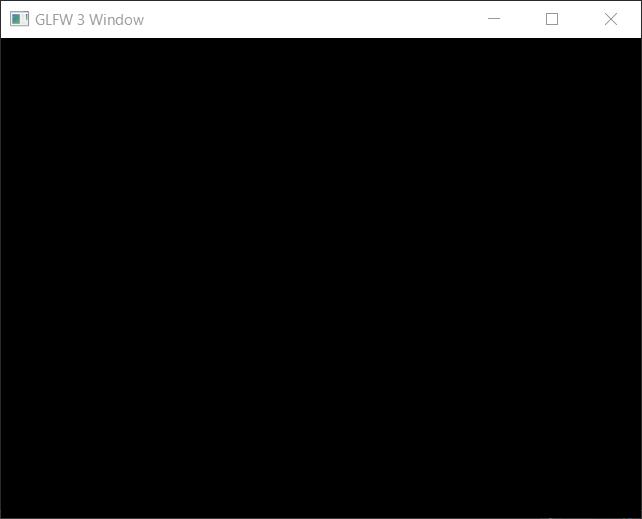
動いた!目標達成です.このプログラムでは,単に真っ黒なウィンドウが作成されるだけで,何も表示されません.右上の×ボタンを押すことで,プログラムを終了します.